If you would just like to get started with a basic list of mods, this userscript collection on Greasy Fork has you covered.
This tutorial is only for downloading userscripts from GitHub repositories. Userscripts hosted on Greasy Fork are straightforward enough to download that they don’t warrant their own tutorial.
Linerider.com uses userscripts as the primary method of supporting userscripts. The following tutorial will walk through how to set up a userscript manager and install a userscript.
Downloading Userscripts
1) Install a userscript manager supported by your browser. There are multiple options available, but this guide recommends Tampermonkey. This will allow userscripts to run in linerider.com.
2) Choose any number of userscripts to install. Userscripts can be found at the GitHub repositories listed here. To install userscripts, navigate to their respective github page, click “Raw,” then follow the Tampermonkey prompt to install.
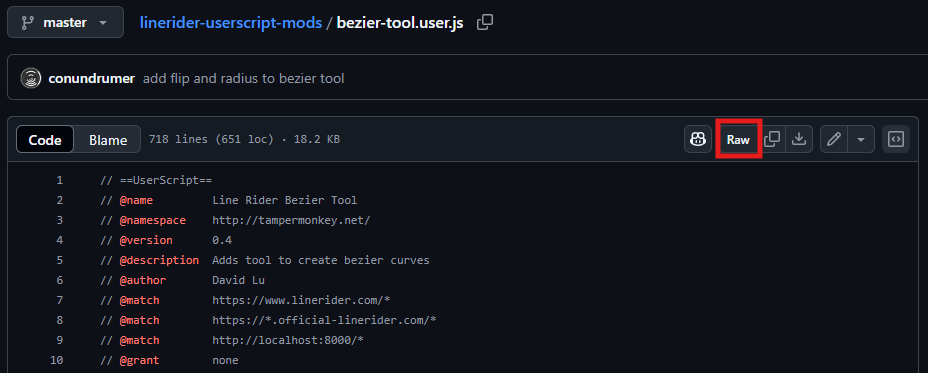
Step 2.1: Installing from GitHub
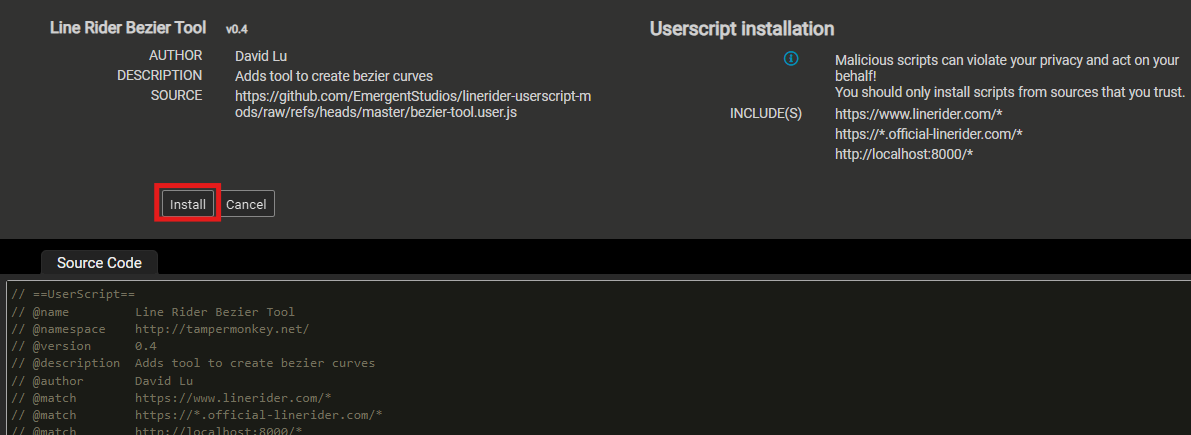
Step 2.2: Installing in Tampermonkey
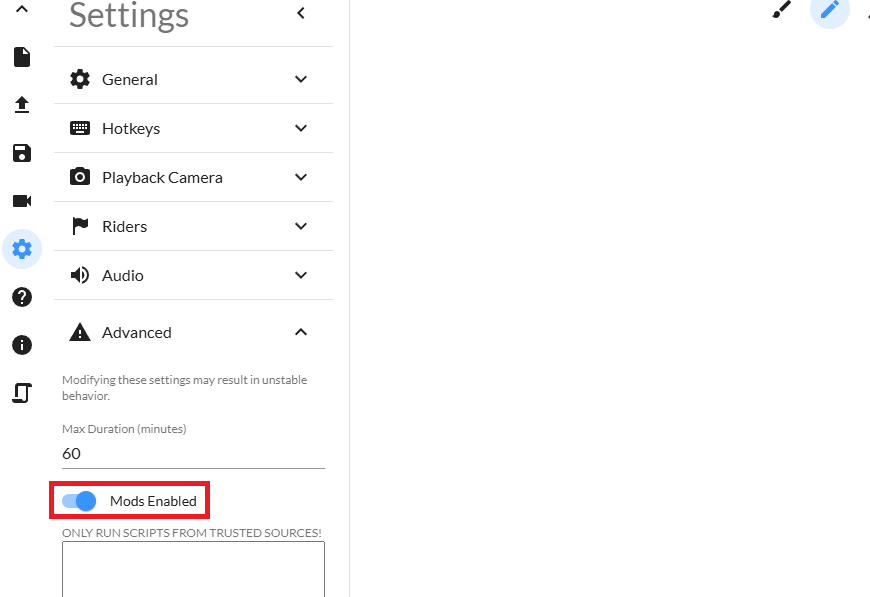
3) Enable userscripts by going to Settings -> Advanced -> Mods Enabled and switching them on.
4) Developer mode might be required for tampermonkey to work properly. See their faqs for steps to enable it per browser.